
Shopify Carrier Calculated Shipping (CCS)
Carrier Calculated Shipping is especially useful for Shopify stores working with carriers such as ShipStation, USPS, UPS, FedEx, DHL, and other shipping providers with dynamic delivery rates, allowing merchants to use the native Shopify checkout with delivery selection in a single step.
What is Carrier Calculated Shipping?
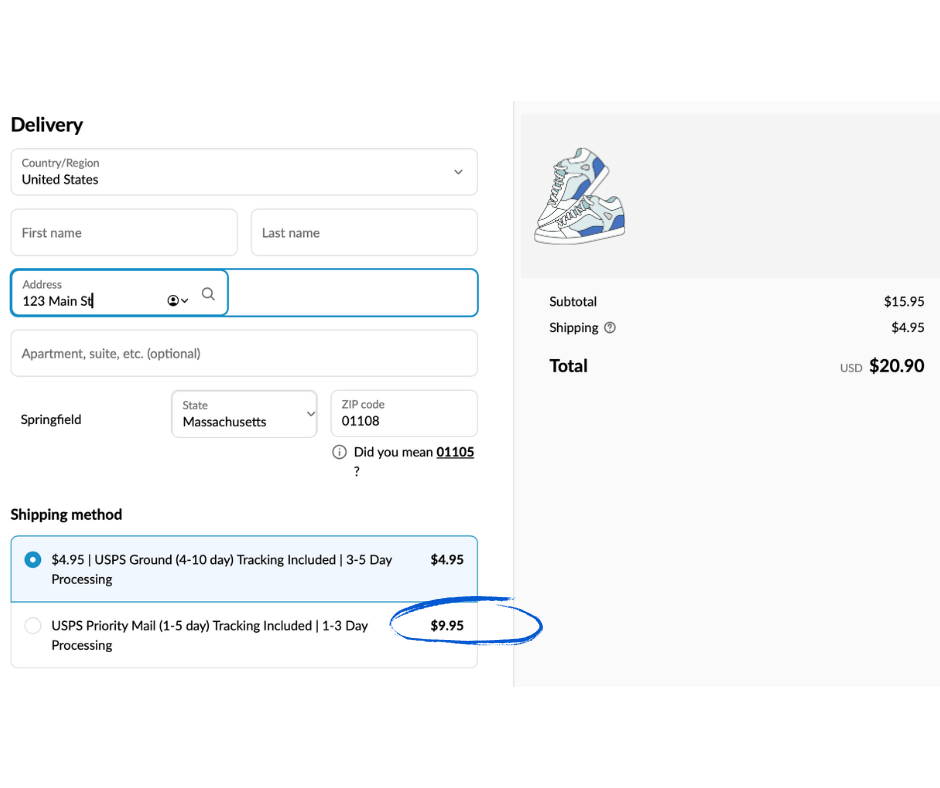
Carrier Calculated Shipping (CCS) is a Shopify feature that allows online stores to display real-time shipping rates directly during the checkout process.
Instead of using fixed shipping prices or free shipping, CCS automatically calculates shipping costs based on:
- the customer’s address
- the selected carrier
- the delivery method
- the weight and dimensions of the order
This allows customers to see the exact shipping cost in real time during checkout.
70% of online stores using Octava Shipping choose CCS checkout solutions
Built for better conversion
Fewer abandoned carts
Automatic shipping rate calculation
Who can use Carrier Calculated Shipping?
Before setting up Carrier Calculated Shipping (CCS), it is important to know which Shopify plans support this functionality.
If you are on the
Basic plan
Unfortunately, Carrier Calculated Shipping (CCS) is not available on the Shopify Basic plan. Stores on this plan can only use fixed or manually configured shipping rates.
As an alternative, you can use the Octava Shipping Delivery Widget to allow customers to select smarter delivery options, such as faster or lower-cost shipping.
If you are on the
Grow plan
Carrier Calculated Shipping (CCS) can be added to the Shopify Grow plan for an additional monthly fee charged by Shopify. If you are using annual Shopify billing, CCS is usually included at no additional cost.
If you are on the
Advanced or Plus plan
CCS is included with this plan, allowing you to display real-time shipping rates directly during checkout without additional fees.
Who is Shopify Carrier Calculated Shipping (CCS) for?
Carrier Calculated Shipping is ideal for online stores that want to display real-time shipping rates directly in the native Shopify checkout.
Especially useful for stores that:
Use more than one carrier
Display different shipping prices and delivery methods based on the selected carrier and the customer’s address.
Sell products with different weights and sizes
Automatically calculate shipping costs based on the product’s weight, dimensions, and type.
Sell in different regions or countries
Show different shipping methods and rates depending on the customer’s country or region.

Want automatic shipping rate calculation
Automatically calculate shipping costs directly in the Shopify checkout.
Want more transparent shipping prices for customers
Display real-time shipping rates during checkout with no unexpected surprises.

Want a native Shopify checkout in a single step
Use real-time shipping rates directly inside the native Shopify checkout.
How to add Carrier Calculated Shipping (CCS) to Shopify
Now that you know which Shopify plans support Carrier Calculated Shipping (CCS), let’s look at how to set up real-time shipping rates directly in your Shopify store checkout.
Step 1: Upgrade your Shopify plan (If needed)
If you are using the Shopify Basic plan, you will need to upgrade to the Shopify Grow plan or higher in order to use Carrier Calculated Shipping.
How to do it:
- Log in to your Shopify Admin panel
- Go to Settings → Plan and permissions
- Click “Change plan”
- Select Shopify Grow or a higher plan
- Complete the upgrade process
After CCS is activated, you will be able to display real-time shipping rates directly in the native Shopify checkout.
https://help.shopify.com/en/manual/fulfillment/setup/shipping-rates/third-party-carrier-calculated-shipping
Step 2: Connect your carrier accounts
Once you are on a plan that supports CCS, the next step is to connect your carriers. This allows Shopify to automatically retrieve real-time shipping rates during checkout.
Did you know that many customers abandon their carts because of unexpected shipping costs?
This shows how important it is for online stores to provide clear and accurate shipping rates during the checkout process.
In the competitive world of e-commerce, a strong shipping strategy can directly impact conversion rates and sales. This is where Carrier Calculated Shipping (CCS) becomes essential.
Carrier Calculated Shipping allows Shopify stores to automatically display real-time shipping rates during checkout based on:
- the customer’s address
- the selected carrier
- the weight and dimensions of the order
- the delivery method
This helps customers see the exact shipping cost before completing their purchase, improving the customer experience and reducing cart abandonment.
Step 3: Configure real-time shipping rates
Once your carriers are connected, you can enable Carrier Calculated Shipping rates.
Choose the carriers and services you want to display during checkout.
For example:
- delivery to pickup point
- locker delivery
- home delivery
Optionally, you can add an additional handling fee.
This allows customers to see the exact shipping cost in real time during checkout.
This helps online stores:
- avoid losses caused by incorrect shipping rates
- reduce the need for fixed shipping prices
- offer more accurate delivery options
- improve the customer experience
- automate the shipping rate calculation process
Carrier Calculated Shipping is especially useful for Shopify stores working with carriers such as USPS, UPS, DHL, Fedex, and other delivery services with dynamic shipping rates.
Step 4: Check your product weights
To ensure dynamic shipping rates work correctly, it is important that your products have accurate weights configured.
How to check:
- Go to Products
- Select a product
- In the Shipping section, check the Weight field
- Enter the correct product weight
This is important because shipping rates often depend on:
- weight
- dimensions
- volumetric weight
Step 5: Test your checkout process before enabling CCS for real customers, it is important to test your checkout configuration.
Step 6: Analyze and optimize
Once Carrier Calculated Shipping is enabled, monitor:
- conversion rate
- abandoned carts
- customer feedback
- popular delivery methods
- shipping costs
Over time, you may want to:
- add new carriers
- optimize the checkout flow
- adjust handling fees
- hide specific delivery methods
- test different checkout layouts
How to Optimize Your Shipping Strategy with Carrier Calculated Shipping and the Octava Shipping App
Once you have set up Carrier Calculated Shipping (CCS) in your Shopify store, the next important step is optimizing your checkout flow and shipping strategy.
Well-configured delivery methods can help improve:
- higher conversion rates
- fewer abandoned carts
- a better customer experience
- lower shipping costs
- faster order processing
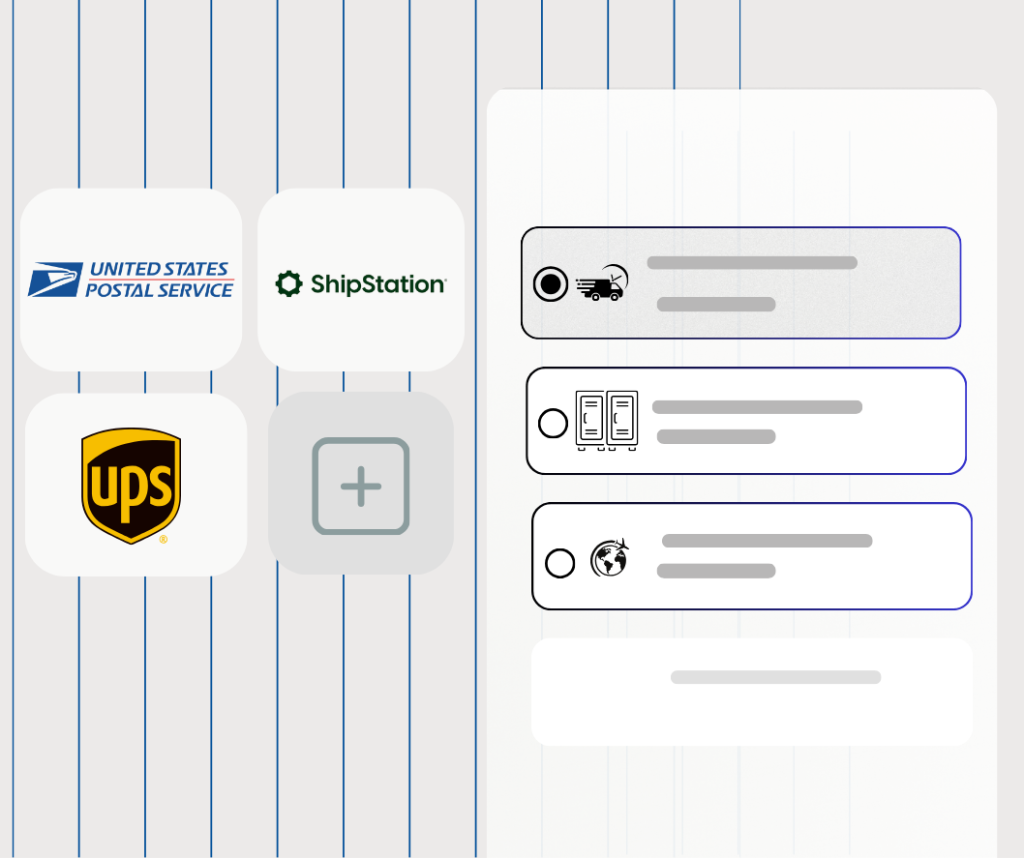
Here are a few practical ways to improve your checkout and delivery process with Octava Shipping and Shopify CCS:
01. Offer multiple delivery methods
Different customers have different delivery preferences.
Some may prefer:
- pickup point delivery
- locker delivery
- home delivery
- express shipping
- lower-cost delivery instead of faster shipping
With Carrier Calculated Shipping and Octava Shipping, you can display different delivery methods directly during checkout based on:
- the customer’s address
- the selected carrier
- the order weight
- available delivery services
This helps customers more easily choose the delivery option that works best for them.
02. Show estimated delivery times
Customers want to know when their order will arrive.
Displaying:
- estimated delivery dates
- approximate delivery times
- express delivery options
can significantly improve the customer experience and reduce hesitation during checkout.
Especially during checkout, this helps increase:
- customer trust
- fewer abandoned carts
- higher conversion rates
03. Analyze checkout and delivery data
Track:
- which delivery methods are used most often
- which carriers customers prefer
- which options lead to more completed orders
- where customers abandon their carts
This information can help you:
- optimize the checkout flow
- hide unnecessary delivery methods
- improve shipping pricing
- speed up the checkout process
04. Use different shipping profiles
Shopify allows you to create different shipping profiles based on product types.
This is useful if you:
- sell heavy products
- have oversized items
- work with multiple warehouses
- use different carriers
- sell internationally
For example:
- small products → locker delivery
- large products → home delivery
- fragile products → specialized carrier services
With Octava Shipping, you can manage these shipping scenarios more easily.
05. Use free shipping thresholds
Free shipping is one of the strongest tools for increasing average order value.
For example:
- “Free shipping on orders over $100”
- “Free locker delivery on orders over $80”
This often helps increase:
- larger orders
- higher average order value
- more completed purchases
With Carrier Calculated Shipping, you can combine:
- dynamic shipping rates
- free shipping rules
- specific delivery methods
06. Use the native Shopify checkout
One of the main advantages of Carrier Calculated Shipping is the ability to use the native Shopify checkout with real-time shipping rates.
This provides:
- faster checkout
- fewer custom integrations
- better Shopify compatibility
- improved mobile experience
- easier maintenance
Octava Shipping helps you combine:
- real-time shipping rates
- checkout widgets
- pickup point and locker selection
- automatic tracking updates
- carrier integrations
into one modern and optimized checkout experience.
Stop switching between Shopify and shipping software